SFMC IntelliType
The Complete Development Suite for Marketing Cloud
Transform your Salesforce Marketing Cloud workflow with intelligent code assistance, powerful data tools, automation insights, and contextual AI that understands your development needs.
Code faster, build smarter, and deliver exceptional customer experiences.
AI-Powered Code Completions
Data Extension Management
Automation Explorer
Intelligent Snippet System
Everything You Need to Excel in Marketing Cloud
A comprehensive suite of tools designed for modern SFMC developers
Smart Code Management
Organize and deploy your AMPscript, SSJS, and SQL snippets with an intelligent system. Find what you need instantly with powerful search capabilities.
AI Code Completion
Experience real-time suggestions that understand Marketing Cloud syntax, predict your next move, and adapt to your coding style based on context. Works seamlessly in all SFMC editors.
Interactive AI Assistant
Ask questions, debug complex issues, and get expert-level guidance from an assistant trained specifically on Marketing Cloud development. Available with Ctrl+G shortcut.
Data Extension Tools
Create, export, import, and manage Data Extensions with powerful tools. Search DEs instantly, generate test data, and maintain folder structures effortlessly.
Automation Explorer
View detailed automation definitions, explore activity code, understand workflow structures, and gain insights into your automation processes with a beautiful visual interface.
Universal Search
Search across Data Extensions, Automations, Journeys, Snippets, Activities, and Emails from one unified interface. Find anything in your Marketing Cloud instance instantly.
Ready-Made Templates
Access a growing library of professionally crafted, best-practice templates for common Marketing Cloud implementation patterns. Regularly updated and community-driven.
Usage Analytics
Track your token usage, snippet statistics, and development patterns. Gain insights into your workflow and optimize productivity with detailed analytics.
Personalized Environment
Tailor the extension to your unique workflow with customizable shortcuts, themes, AI behavior preferences, and team collaboration features.
The Intelligence Layer for SFMC
Elevate your development experience with our proprietary AI technology
Predictive Intelligence
Our AI engine anticipates your next steps by analyzing patterns in your code, offering suggestions that become increasingly accurate the more you use them. Context-aware completions for AMPscript, SSJS, and SQL.
Contextual AI Assistant
Experience a conversation partner that understands Marketing Cloud's nuances. Debug complex AMPscript, optimize SQL queries, or implement advanced SSJS with guided assistance. Select code context for precise help.
Intelligent Code Generation
Describe your requirements in plain language and watch as our AI transforms your instructions into optimized, production-ready Marketing Cloud code. Generate entire functions, queries, or automation logic.
Powerful Data Extension Management
Streamline your Data Extension workflow with professional-grade tools
Data Extension Creator
Create Data Extensions with an intuitive table interface. Define fields, set data types, configure sendable relationships, and generate test data automatically. Support for folder organization.
- Visual field editor
- CSV header import
- Test data generation
- Folder support
Export & Import Data Extensions
Export all your Data Extension schemas in JSON or CSV format, preserve folder structures, and create comprehensive backups. Restore DEs from exported files, migrate between instances, and recreate folder hierarchies with ease.
- Export: JSON & CSV formats
- Import: Restore from backups
- Folder structure preservation
- Bulk operations & filtering
- Conflict handling & progress tracking
DE Search & Reporting
Instantly search for Data Extensions by name, view comprehensive reports of all DEs in your instance, and analyze usage patterns across your account.
- Instant search
- Comprehensive reports
- Usage analysis
- Field definitions
Automation Explorer & Viewer
Gain deep insights into your Marketing Cloud automations with a powerful visual interface
Interactive Automation Viewer
View detailed automation definitions with a beautiful, interactive interface. See all steps, activities, configurations, and code in one comprehensive view.
Visual Interface
See all steps, activities, and their configurations at a glance with an intuitive visual layout.
Code Inspection
View and analyze code from Script and Query Activities directly within the viewer without navigating away.
Workflow Mapping
Understand automation flow, step sequences, and dependencies with clear visual connections.
Complete Metadata
Access status, run history, creation dates, and activity configurations all in one place.
See IntelliType in Action
Discover how our tools transform the development experience with visual examples
Smart Content Blocks
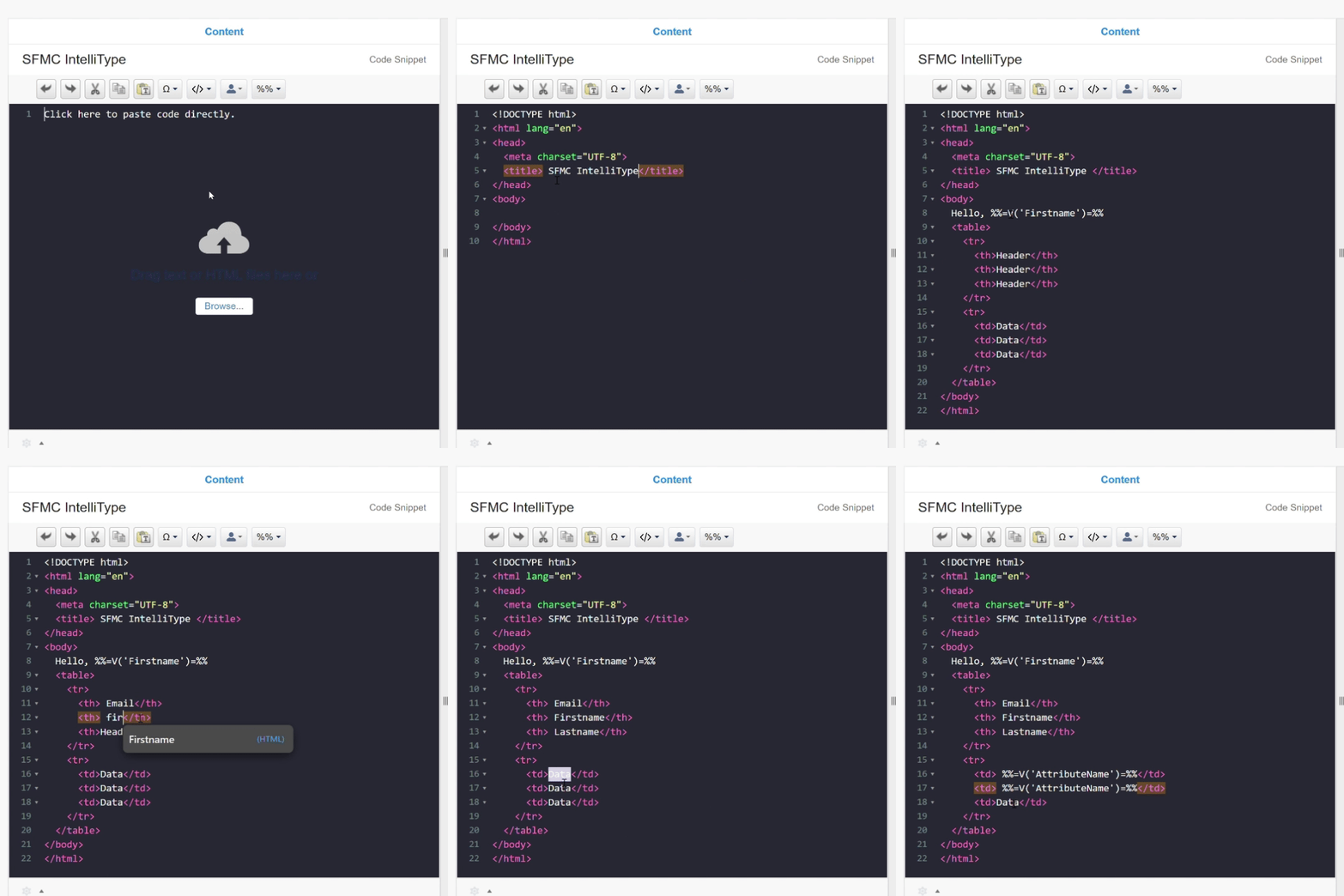
Create and edit HTML, AMPscript, and SSJS with intelligent suggestions that understand your implementation context.
AI-Powered Assistant
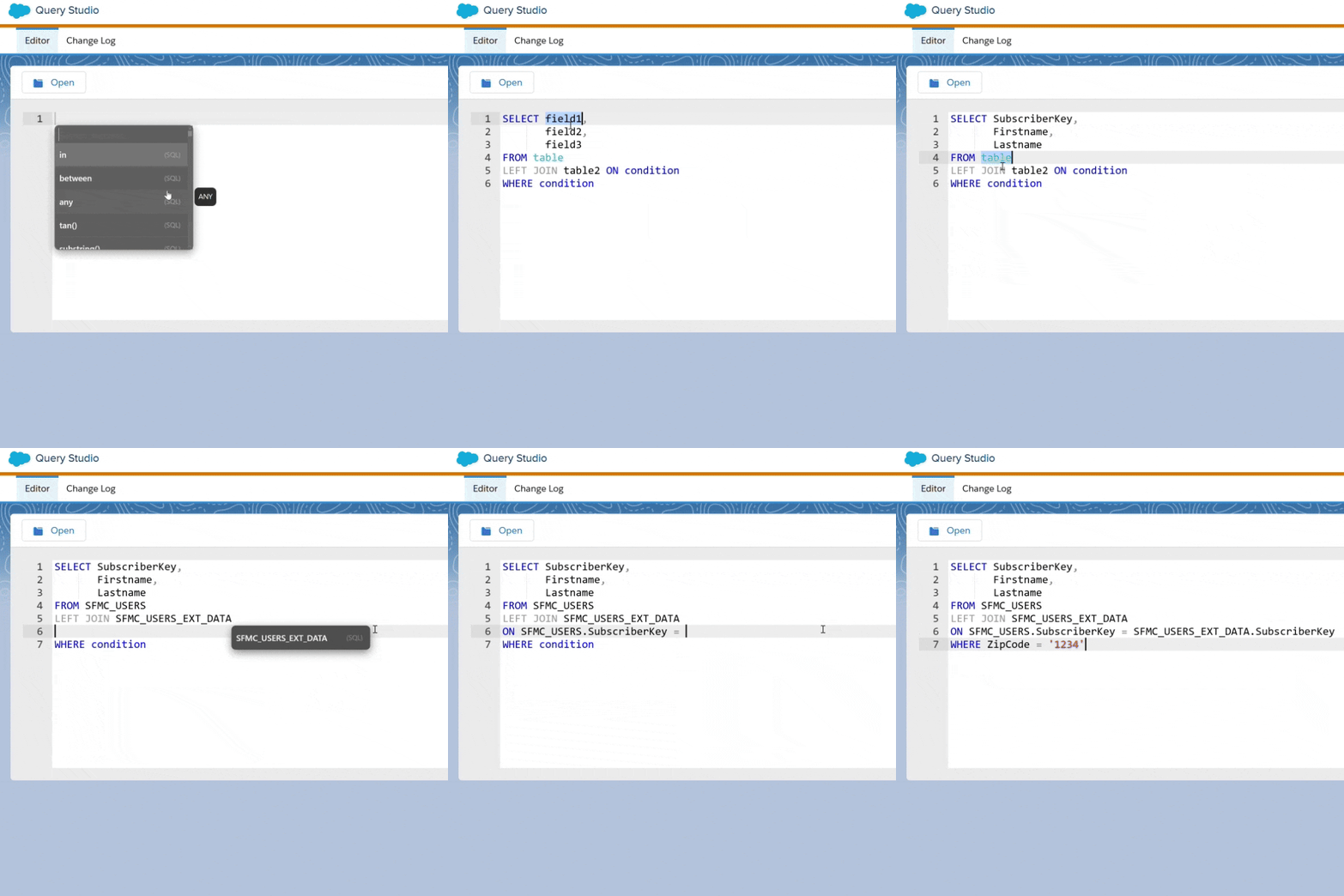
Get real-time guidance, code explanations, and smart suggestions as you work across any Marketing Cloud editor.
Cloud Synchronization
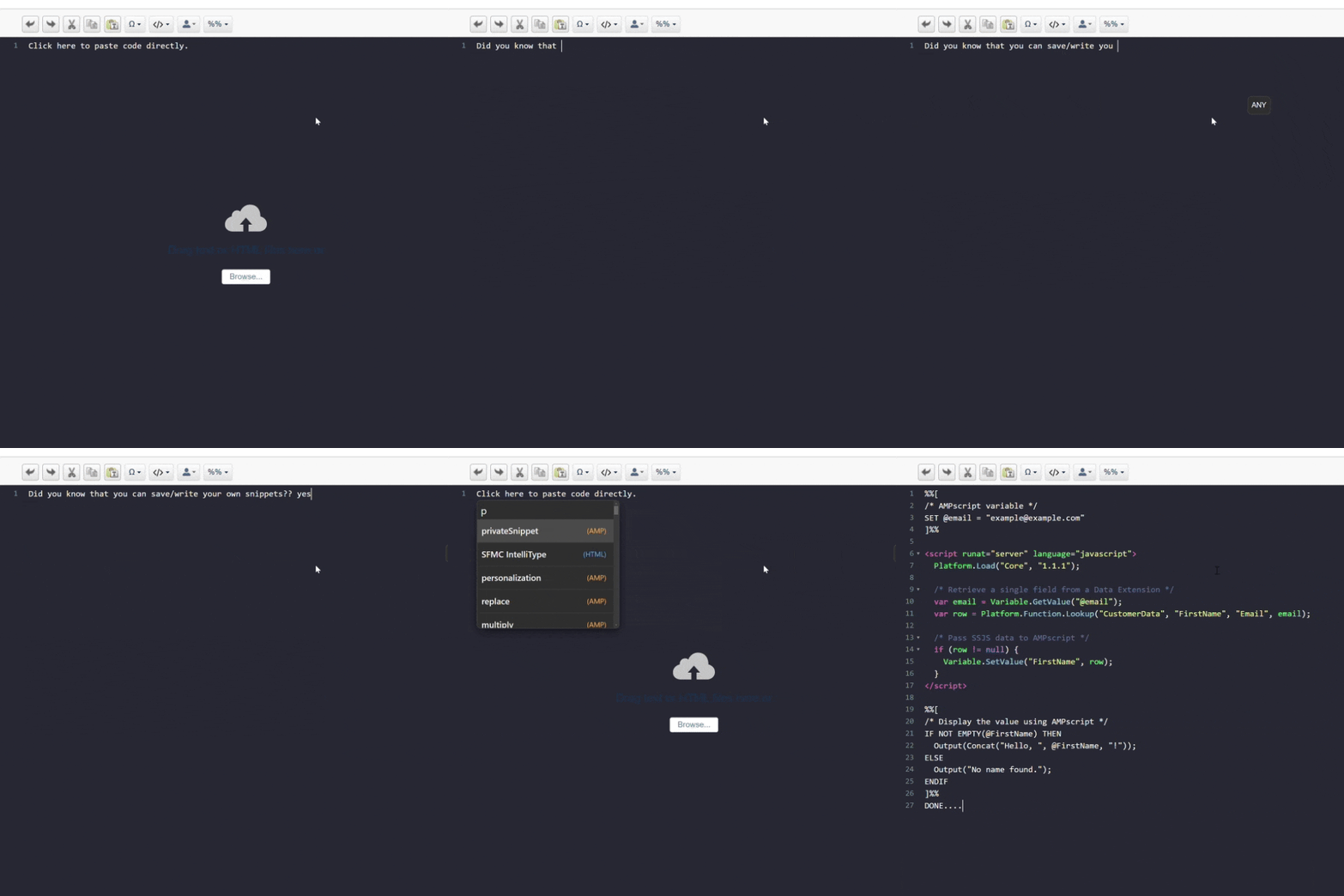
Access your custom snippets, templates, and AI preferences from any device with secure cloud synchronization.
Watch IntelliType's AI Work Its Magic
See firsthand how AI accelerates common Marketing Cloud development tasks.
Smart Suggestions & Autocompletion
IntelliType anticipates your needs, providing context-aware code suggestions and completions for AMPscript, SSJS, and SQL.
Chat Assistant: Debugging
Interact with the AI assistant to quickly identify and fix errors in your code.
Chat Assistant: Code Generation
Generate complex code blocks simply by describing your requirements in natural language.
Fuel Your AI: Get More Tokens
SFMC IntelliType is completely free to use! The extension itself requires no payment.
Every account includes 50,000 free AI tokens to get you started with AI features.
You only need to purchase additional tokens if:
• You want more than the free 50,000 tokens
• You're a heavy AI user and need extra capacity
If you don't want to use AI features, you don't need to purchase anything. All other features (snippets, data tools, automation viewer, etc.) work perfectly without any tokens.
Select Your Token Amount
Use the slider to choose how many tokens you need. More tokens mean more AI interactions!
Selected Tokens: 1,000,000
Estimated Price: €10.00
Tokens are only consumed for AI completions and AI chat interactions. Usage details available in extension settings. Estimated price shown.
Common Questions
SFMC IntelliType is a comprehensive AI-powered development suite built specifically for Marketing Cloud developers. It combines intelligent code completion, snippet management, data extension tools, automation viewer, and contextual AI assistance to dramatically accelerate your workflow and improve code quality.
Our Chrome extension seamlessly integrates with Marketing Cloud's Content Builder, Email Studio, Cloud Pages, Journey Builder (Custom Activities), Automation Studio, and other interfaces. Once installed, it enhances the native editors with intelligent features without disrupting your existing workflow.
IntelliType addresses key challenges in SFMC development: the complexity of AMPscript/SSJS syntax, repetitive coding tasks, the lack of intelligent code suggestions/debugging tools within the platform, data extension management complexity, automation visibility, and the need for consistent code reuse across projects and teams.
Simply install the extension from the Chrome Web Store and navigate to Marketing Cloud. The extension automatically activates and enhances your editing environment. No complex configuration is required to start using the core features.
Ready to Revolutionize Your SFMC Development?
Join thousands of Marketing Cloud developers who are transforming their workflow with intelligent assistance.
Reduce development time significantly while maintaining the highest standards of code quality and innovation.